


Dark Night Paint by Numbers
4.6572.00 Reviews
App Specs
- Version
- 1.4.4
- Updated On
- License
- Free
- Downloads
- 500,000+
- Developer
- BrainArt Studio
- Categories
- Board
- Platform
- Android
Screenshots
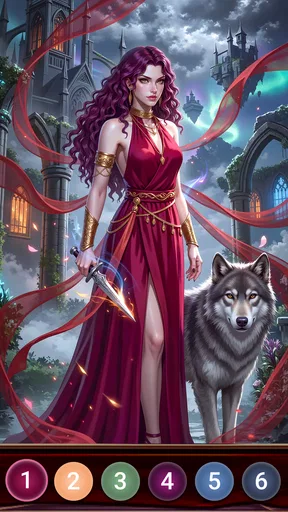
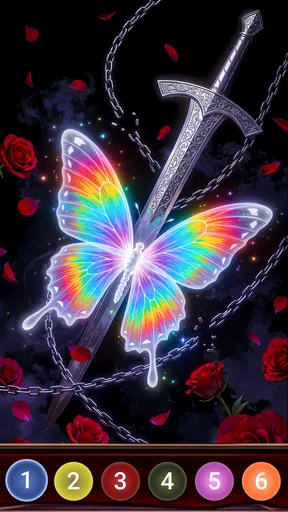
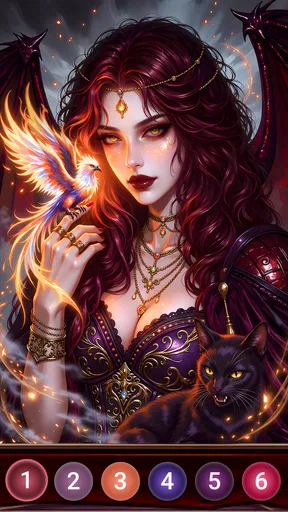
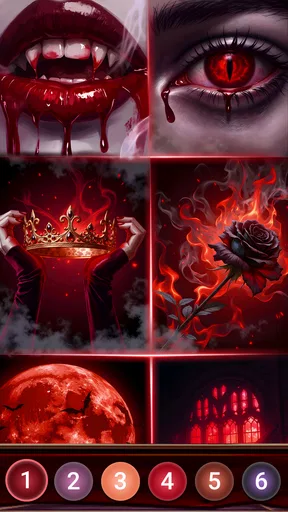
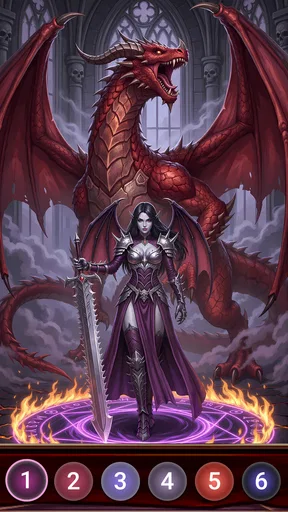
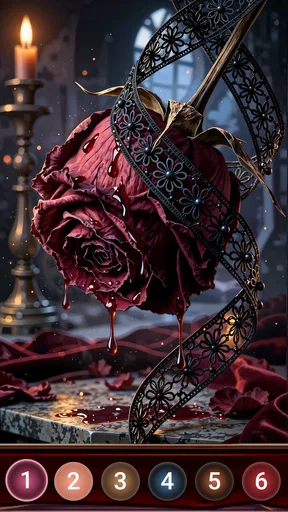

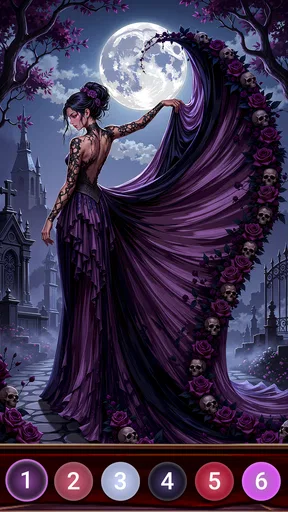
 Analysis by AppCompare
If you’re weighing up a casual coloring game against a more involved art app, Dark Night Paint by Numbers is best understood as a guided, low-pressure pastime. The numbered areas give each picture a clear next step, so you can settle in without having to plan a composition or choose every color yourself. I’d look at it as a small creative break rather than a replacement for drawing or painting freely.
What the free entry point means
The game is free to download, with optional in-app purchases listed from $0.99 to $39.99 per item. That makes it easy to try the basic experience before deciding whether paying for anything makes sense for you. I would treat the free access as the starting point, not assume that every image or option is included at no cost.
Those listed purchase prices cover a wide range, so it is worth pausing before tapping a purchase prompt and checking what the specific item offers. If you only want an occasional picture to color, you may be perfectly content to use what is available without spending. If you expect to use the game regularly, judge any purchase by whether it gives you something you will genuinely return to, rather than by the size of the gallery or a momentary urge to unlock more.
Where its value comes from
The main value here is convenience: a picture is already divided into numbered spaces, and the color choices are organized for you. That removes the setup involved in traditional coloring and the open-ended decisions of a blank drawing screen. When I have a short break, this kind of structure can make it easier to start and finish a small creative task without needing supplies or a dedicated workspace.
That structure is also the central trade-off. The numbered guide helps beginners and anyone who wants a calm, directed activity, but it gives less room for spontaneous mark-making than a sketching app or a physical coloring book. If your idea of relaxing is experimenting with brush strokes, building a scene from scratch, or choosing every color, a freeform art tool is likely to offer more of what you want.
A small routine that suits the format
A realistic way to use it is to open a picture while waiting for an appointment or winding down before bed, complete a few sections, then stop when you are ready. The saved-progress feature makes that kind of interrupted session practical: there is no need to treat every image as a project that must be finished in one sitting. I would choose a simpler-looking picture when I have only a few minutes, and save a more detailed one for a longer, quieter break.
Zooming is more than a convenience when the spaces are small. I find it helps to work through one visible area at a time rather than constantly scanning the whole image for a matching number. Selecting a color and filling several nearby sections before switching palettes can also make the process feel less stop-start. The downside is that detailed pictures may ask for a lot of repeated taps, so this is not the best pick when you want a fast game with frequent surprises or a strong sense of action.
Worth Reading Before You Choose

EA SPORTS FC Mobile 26 Is a Bigger Football Game, but It Takes Time

Flipboard Shows What News Apps Must Do Beyond the Feed

Switching to Android Auto Means Rethinking Your Driving Routine

Google Calendar Makes a Crowded Week Easier to Manage

Ludo King Makes the Most of the Minutes Between Plans

Baby Panda World Brings Quick Play to Modern Phones, but Its Game Library Feels Busy
How it differs from familiar alternatives
Compared with a physical paint-by-number kit, the phone version is easier to carry around and does not require paints, brushes, or a place to leave a half-finished canvas. It also avoids the mess and cleanup that can make a real art project hard to fit into a busy day. In exchange, the result stays on the screen, and the tactile pleasure of moving paint across paper or canvas is absent.
Against general coloring apps, the numbered format is more guided: you are following designated spaces rather than freely coloring an outline. Compared with puzzle games, it is gentler and more visual, with progress coming from filling the image rather than solving a changing challenge. That makes it a sensible choice if you want a quiet activity, but a less compelling one if you are looking for competition, story-driven levels, or demanding strategy.
Who is most likely to enjoy it
I’d recommend it to people who like visual hobbies but do not want to begin with a blank page, as well as to anyone seeking a simple activity to pick up and put down. It may also suit someone who wants to share finished pictures with friends or other users, though the social side is an optional extra rather than the reason I would choose the game. The ability to change the palette can add a personal touch, but the numbered structure still shapes how the image is completed.
I would skip it if you strongly prefer making original art, dislike repetitive tapping, or want a game built around quick decisions and changing objectives. It is also worth considering whether looking at a phone is actually how you want to relax; a paper coloring book may feel more comfortable if you want time away from a screen. The best fit is someone who enjoys a clear, gentle task and is happy with a finished digital picture.
For context, this is a board-category game from BrainArt Studio. It was released on January 17, 2025, and version 1.4.1 is the current version. Its average rating is 4.6 from around 3,500 ratings, and it has over 500,000 installs. The age rating is Everyone, and the minimum operating system is Android 7.0. These details make it straightforward to assess as a broadly accessible mobile pastime, while the optional purchases remain a separate consideration from the free download.
If you are choosing between this and another coloring game, focus less on the promise of a large collection and more on the kind of attention you want to give the activity. Numbered coloring offers guidance and a visible sense of completion; free drawing offers more control, while a physical kit offers a hands-on result. For a low-effort digital pause, that distinction matters more than any claim that one format is universally better.
If you’re someone who finds joy in painting but lacks the time or space to set up a full canvas, let me introduce you to a little gem called Dark Night Paint by Numbers. This app is an absolute delight for those who love to unwind with some art therapy but need a more convenient option. I’ve spent the past few days diving into it, and let me walk you through my experience.
Getting Started with Dark Night Paint by Numbers
The first thing I noticed when I opened Dark Night Paint by Numbers was its sleek and simple interface. It’s designed to be intuitive, so even if you’re not tech-savvy, you’ll find it easy to navigate. The app greets you with a gallery of stunning images, each segmented into tiny, numbered areas waiting for you to bring them to life with color.
Downloading the app was a breeze, and it’s available on both Android and iOS, which is a win-win. Once installed, you’re just a tap away from your next masterpiece. The app doesn’t bombard you with ads or unnecessary pop-ups, which is a huge plus in my book. You can just dive right into painting without any distractions.
Exploring the Features
One of the standout features is the extensive library of images. Whether you’re into landscapes, animals, or abstract designs, there’s something for everyone. Each image is tagged by difficulty level, so you can choose something simple if you’re just looking to relax, or go for a more complex piece if you’re up for a challenge.
Now, let’s talk about the painting process itself. The app allows you to zoom in on intricate sections, ensuring you don’t miss a spot. The color palette is at the bottom of the screen, and you just tap on a number to select it. Then, it’s as simple as tapping the corresponding areas on the image. It’s so satisfying to see the picture come alive, block by block.
What I really love is that you can save your progress. If life calls and you need to step away, no worries. Your artwork is safely stored, and you can pick up right where you left off. This feature is perfect for those moments when you have a few minutes to spare but want to continue your creative journey.
Why It Stands Out
Dark Night Paint by Numbers stands out because it’s more than just an app; it’s a stress buster. There’s something incredibly calming about watching the colors fill in and knowing that you’re creating something beautiful, no matter your skill level. It’s a great way to unwind after a hectic day.
The app also incorporates a community aspect. You can share your completed works with friends or other users within the app. It’s a nice touch, especially if you’re someone who enjoys social interaction and feedback on your creations.
Another fantastic feature is the ability to customize your color palette. If you’re feeling adventurous, you can switch up the colors and give your image a unique twist. It’s a wonderful way to express your personality and make each piece truly your own.
Final Thoughts
In the end, I’d give Dark Night Paint by Numbers a try if you want a relaxing, guided coloring game rather than a full art studio. Its free download makes it easy to sample, while the optional purchases mean I’d check the cost of anything I’m tempted to unlock before deciding. BrainArt Studio’s game suits beginners, casual colorists, and people who enjoy a task they can pause and resume; it is less suited to players who want competitive play, original drawing tools, or a hands-on craft. The board-game label may sound like a traditional tabletop experience, but the appeal here is the quiet, individual act of filling a picture.
Whether you’re an experienced artist or a complete beginner, this app provides a delightful way to unleash your creativity without any pressure. So grab your phone, download the app, and let your artistic journey begin. Trust me, you won’t regret it!
Pros
- Easy-to-use interface for all ages.
- Wide variety of stunning designs.
- Relaxing and stress-relieving activity.
- Offline mode available for convenience.
- Regular updates with new patterns.
Cons
- Contains ads that can be intrusive.
- Some designs require in-app purchases.
- Limited color palette options.
- Occasional app crashes reported.
- No social sharing for completed works.
FAQs for Dark Night Paint by Numbers
What is Dark Night Paint by Numbers?
Dark Night Paint by Numbers is a digital art application that allows users to create stunning artworks by filling in numbered sections with specific colors. It’s designed for both beginners and experienced artists, offering a relaxing and engaging experience as you watch your masterpiece come to life.
Is Dark Night Paint by Numbers free to download and use?
The app is free to download and offers a variety of free images to work on. However, it also includes in-app purchases for additional premium content and features, which provide a wider selection of artwork and tools to enhance your creative experience.
What devices are compatible with Dark Night Paint by Numbers?
Dark Night Paint by Numbers is compatible with both Android and iOS devices. It requires Android version 5.0 or later and iOS version 10.0 or later. Ensure your device meets these requirements for the best performance and user experience.
Can Dark Night Paint by Numbers be used offline?
Yes, you can use Dark Night Paint by Numbers offline once you have downloaded the images. This makes it convenient for use in areas without internet access, allowing for uninterrupted creativity and relaxation wherever you are.
How does Dark Night Paint by Numbers enhance artistic skills?
The app helps improve color recognition, patience, and attention to detail. By following the numbered patterns, users can learn about color blending and shading techniques, making it a great tool for both learning and leisure. It’s an excellent way to practice and refine your artistic skills at your own pace.


